
Lenovo Yoga 7 14IML9 Complete Teardown: Upgrade SSD & More – Best Place to Sell Used Laptop
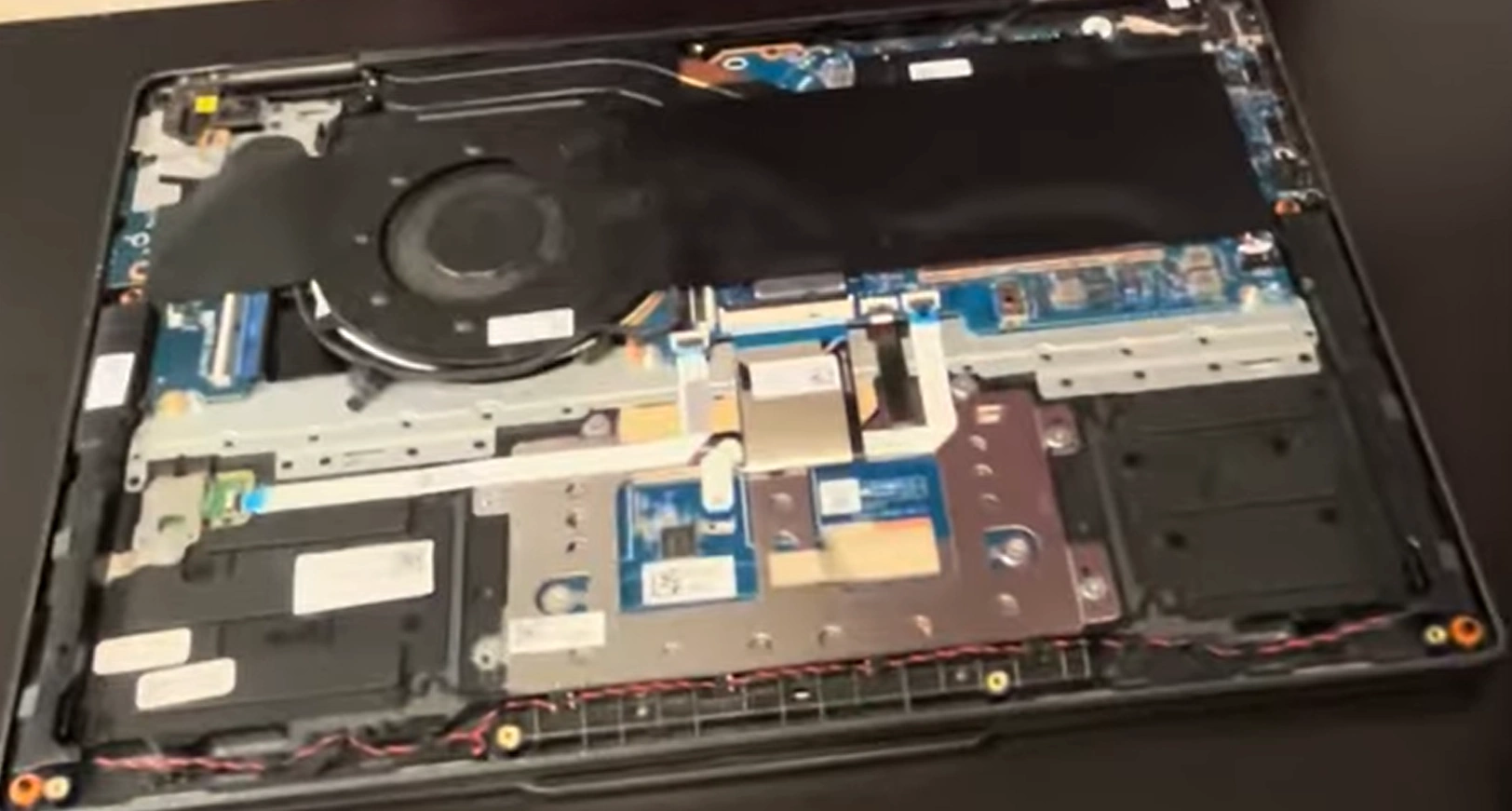
Looking for the ** best place to sell used laptop **, ways to **get cash for my laptop**, or options to **trade upgraded laptop**? The Lenovo Yoga 7 14IML9 (14" 2-in-1 convertible with Intel Core Ultra processors, vibrant touchscreen) benefits greatly from SSD upgrades, cleaning, and basic repairs. Even though RAM is soldered, upgrading storage and fixing issues can significantly boost its resale value!
This guide covers full teardown, upgrade options, and tips to prepare your Yoga 7 14IML9 for top cash offers or trade-ins.
Why Upgrade Before Selling Your Lenovo Yoga 7 14IML9 ?
- Fast SSD upgrade = quicker boot times and more storage (up to 2TB+)
- Cleaning + battery check improves overall condition and performance
- Repaired/upgraded 2-in-1 convertibles attract higher offers
- Great for finding the **best place to sell used laptop** or strong **trade upgraded laptop** deals
Video Tutorial: Full Teardown & Upgrade
Watch this detailed YouTube guide showing Lenovo Yoga 7 14IML9 complete teardown, SSD upgrade, and repairs!
0:25 Bottom Case 1:30 Battery 2:00 Speakers 2:50 WiFi Card 3:14 RAM Memory 3:25 Heatsink 4:31 Cooling Fan 4:50 IO Board 5:11 Hinges 6:23 Motherboard 7:39 Processor 8:15 Palmrest Assembly 8:25 Touchpad 9:18 Keyboard 9:30 Display Assembly 9:35 Front Bezel 9:47 Adhesive Pullout Strips 12:56 LCD screen 13:17 Back Cover with WebCam 13:21 Video Cable
Main Upgrade & Repair Options – Lenovo Yoga 7 14IML9
- RAM: Soldered LPDDR5X (16GB or 32GB) – not upgradable
- Storage: 1× M.2 2242 PCIe Gen4 NVMe slot – upgrade/replace with 512GB–2TB+ high-speed SSD
- LCD Screen: Replaceable 14" touchscreen panel – good fix for cracks or damage
- Access: Remove bottom screws → lift cover → SSD & battery easily reachable
- Bonus: Clean fan/heatsink during teardown → better cooling and quieter operation
Quick Teardown & Upgrade Steps
- Power off, unplug, remove bottom screws (usually Torx or Phillips)
- Gently pry off bottom cover starting from edges
- Disconnect battery connector (safety first!)
- Upgrade SSD: Unscrew M.2 drive → swap with new 2242 NVMe SSD → secure screw
- Optional: Clean dust from fan + check thermal pads
- Reassemble, power on, test new SSD – ready to **sell my laptop**!
Best Place to Sell Used Laptop – Upgraded Yoga 7 14IML9
List it highlighted: "Upgraded SSD + Cleaned – Premium 2-in-1 Touchscreen Excellent Condition!" This attracts buyers quickly on eBay, Facebook Marketplace, Swappa, or local trade-in spots.
Use keywords like "** best place to sell used laptop** Lenovo Yoga 7 upgraded", "**get cash for my laptop** 14IML9" or "** trade upgraded laptop **" – you’ll get better offers!
Good luck with your DIY upgrades and successful sale! 💻💰
Sell Popular Lenovo Laptop Models Now:





Frequently Asked Questions
- Can I sell my Lenovo Yoga 7 14Iml9 Best Place To after disassembly or repair?
- Yes. SellBroke buys laptops in any condition — working, broken, disassembled, or partially upgraded. Get an instant quote at https://sellbroke.com/sell/laptop/.
- What is my Lenovo Yoga 7 14Iml9 Best Place To worth?
- Value depends on condition and what's working. SellBroke pays for working, broken, and water-damaged laptops. Visit https://sellbroke.com/sell/laptop/ to see your exact offer before committing.
- Does SellBroke buy laptops with cracked screens or dead batteries?
- Yes. Cracked screens and dead batteries are common defects SellBroke accepts. Select your defects during the quote process for an accurate price.
- How long does it take to get paid after shipping?
- SellBroke pays within 24 hours of receiving and inspecting your device. Payment via PayPal, Venmo, Zelle, or check.
- Do I need to reassemble my laptop before selling it?
- No. SellBroke accepts laptops in disassembled or partially assembled condition. Ship it as-is with components included.