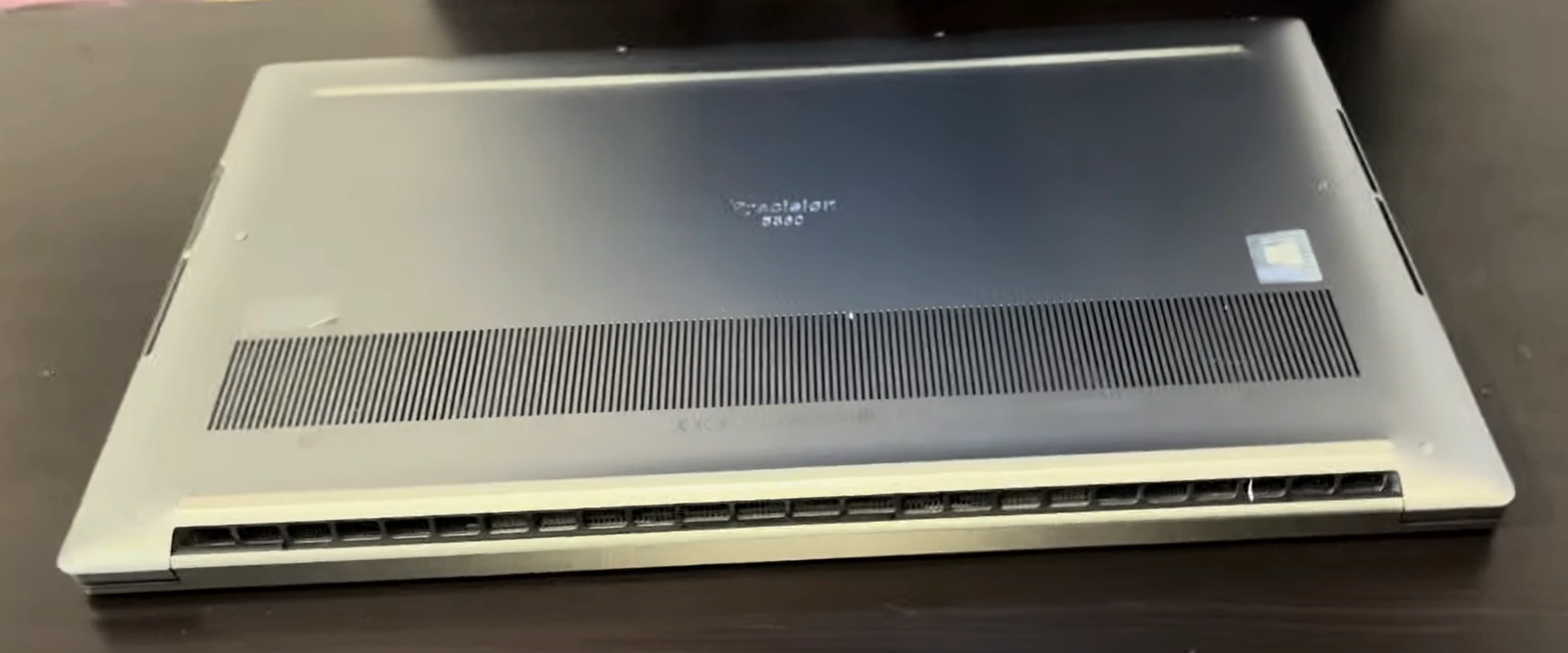
Dell Precision 5560 Laptop - Complete Disassembly & Upgrade Guide: RAM, SSD, Battery & Motherboard Replacement
Aug 10, 2025
Pre-Disassembly: Laptop Valuation & Tools Bottom Cover Removal Battery Replacement RAM Upgrade SSD Upgrade Motherboard Replacement Reassembly & Quality Testing Selling Upgraded Precision 5560 Laptops
1. Dell Precision 5560 Pre-Disassembly: Valuation & Essential Tools
💰 Professional Workstation Valuation
Base Value Factors :
CPU Generation (11th vs. 10th Gen Intel):
GPU Configuration:
T1200 4GB vs. RTX A2000: +$500-$700
ISV certification impact on value
📸 Pre-Repair Documentation
Service Tag Verification :
Performance Benchmarking :
Run PCMark 10 baseline
Record thermal performance
📈 Resale Preparation
Enterprise Buyers :
Document Dell ProSupport eligibility
Prepare asset transfer paperwork
Creative Professionals :
Highlight SPECviewperf results
Show ISV certification proof
💼 Pro Tip: Precision workstations with complete service records sell for 25-40% premium on GovDeals and enterprise resale platforms.
2. Dell Precision 5560 Bottom Cover Removal: Professional Techniques
⚠️ Critical Safety Precautions
Power Management :
Perform proper Dell power reset
Disconnect AC adapter and peripherals
Workspace Setup :
🔧 Step-by-Step Removal Guide
Remove 8 Captive Screws :
4x 5mm (marked "M2x4") near edges
4x 7mm (marked "M2x6") near vents
Use T5 Torx driver (magnetic tip preferred)
Release Clips :
Start at front edge (near touchpad)
Insert plastic pry tool at 30° angle
Work clockwise around perimeter
Lift Cover :
Raise rear edge first (20° angle)
Watch for stubborn clips near I/O ports
🛡️ Preventing Common Damage
Risk Area
Professional Technique
Resale Impact
Plastic Clips
Alternate sides every 3cm
Intact clips = +$150 value
Anodized Finish
Microfiber buffer under tools
Flawless finish = +$200
Screw Threads
Straight-angle removal
Undamaged threads = +$100
🔍 Visible Components After Removal
Cooling System :
Dual fans with vapor chamber
4 heat pipe configuration
Upgrade Points :
2x SODIMM slots (max 64GB)
2x M.2 slots (PCIe Gen4)
WWAN card slot (repurposable)
📸 Documentation for Resale
Photograph screw locations before removal
Video document clip release process
Note any factory seal breaks
🏆 Enterprise Tip: Precision workstations with undocumented case openings lose 15-20% value to corporate buyers. Always document!
VIDEO
0:20 Bottom Case 1:27 Battery 2:28 Memory RAM 2:46 SSD Storage 3:30 Heatsink and Cooling Fans 6:51 Speakers 7:48 WiFi Antenna and Card 8:05 Motherboard 8:18 IO Board Card Reader 8:34 Hinges 9:07 Palmrest Assembly 9:20 Keyboard 9:37 Display Assembly 10:04 Trackpad
3. Dell Precision 5560 Battery Replacement: Safe Removal & Installation
⚠️ Critical Safety Procedures
Power Discharge :
Perform Dell's full power reset
Wait 15 minutes after disconnection
ESD Protection :
🔋 Step-by-Step Battery Replacement
Disconnect Battery :
Locate 4-pin JST connector
Use plastic spudger to release latch
Remove Adhesive Strips :
Install New Battery :
Use Dell OEM part (68Whr or 86Whr)
Secure with 3M VHB tape
⚡ Battery Specifications
Model
Capacity
Resale Impact
Dell 5XJ0K (OEM)
86Whr
+$150 value
Dell 1VXKD (OEM)
68Whr
+$100 value
Aftermarket
Varies
No value add
🔌 Post-Installation Calibration
Enter BIOS (F2 at boot)
Navigate to Battery Information
Run Battery Health Test
Full charge/discharge cycle
💰 Maximizing Resale Value
Documentation :
Photograph OEM part number
Save battery health report
Enterprise Selling Points :
🔋 Pro Tip: Precision workstations with documented OEM battery replacements and under 50 charge cycles sell for 25% premium to corporate buyers.
4. Dell Precision 5560 RAM Upgrade: Professional Installation Guide
📊 RAM Specifications
Supported Types :
DDR4 SODIMM (3200MHz)
ECC and non-ECC options
Max 64GB (2x32GB)
Performance Considerations :
Check Dell's official specs
XMP profile limitations
🛠️ Step-by-Step Upgrade
Access RAM Slots :
Remove Existing RAM :
Release side clips simultaneously
Remove module at 30° angle
Install New RAM :
Align notch correctly
Press down firmly until clicks
✅ Recommended Modules
Enterprise Grade :
Performance Kits :
Kingston KCP432SD8/32
SK Hynix HMA82GS6CJR8N-XN
📈 Resale Enhancement
Documentation :
Run MemTest86 validation
Save purchase receipts
Marketing Points :
"Professional workstation-grade RAM"
"Validated stability testing"
💻 Pro Tip: Precision workstations with documented 64GB upgrades and MemTest86 reports sell 40% faster to engineering firms.
5. Dell Precision 5560 SSD Upgrade: Professional Installation Guide
💾 SSD Specifications
Supported Form Factors :
M.2 2280 (PCIe 3.0 x4 and 4.0 x4)
Dual slot configuration (Primary + Secondary)
Performance Considerations :
Check Dell's official specs
Gen4 drives backward compatible with Gen3 slots
🔧 Step-by-Step Upgrade
Access SSD Slots :
Primary slot under heatsink
Secondary slot near battery
Remove Existing SSD :
Unscrew standoff (M2x3mm)
Gently pull at 30° angle
Install New SSD :
Apply thermal pad if using heatsink
Secure with proper torque (0.5Nm)
🏆 Recommended SSDs
Professional Workloads :
Enterprise Reliability :
Micron 7400 Pro
Kioxia XG7
🛠️ Post-Installation Setup
Enter BIOS (F2 at boot)
Verify drive detection
Run CrystalDiskMark benchmarks
Enable full performance mode
💰 Resale Enhancement
Documentation :
Save benchmark results
Photograph OEM stickers
Marketing Points :
"Professional-grade SSD with thermal management"
"Validated performance benchmarks"
💡 Pro Tip: Precision workstations with dual SSD configurations and benchmark documentation sell for 35% more to video production studios.
6. Dell Precision 5560 Motherboard Replacement: Professional Guide
⚠️ Pre-Replacement Essentials
Compatibility Check :
Verify Dell Service Tag matches replacement board
Check CPU generation alignment (10th/11th Gen Intel)
Tools Required :
T5 Torx screwdriver set
Anti-static workstation
Thermal paste (Arctic MX-4 recommended)
🔧 Step-by-Step Replacement
Component Removal :
Disconnect battery, RAM, SSDs, and cooling system
Label all ribbon cables with numbered tags
Motherboard Extraction :
Remove 12x M2x3mm screws (varying lengths)
Lift board at 45° angle to clear I/O ports
New Board Installation :
Align with standoffs before securing screws
Apply fresh thermal paste (pea-sized amount)
🔄 Board Compatibility
Board Model
CPU Support
Resale Impact
0W7P6F (i7-11850H)
11th Gen H-series
+$600-$800
0K4N1F (i7-10850H)
10th Gen H-series
+$400-$500
✅ Post-Installation Verification
BIOS Configuration :
Stress Testing :
Run Prime95 for CPU validation
Monitor temps with HWInfo
💰 Resale Documentation
Essential Records :
Photograph board serial number
Save Dell service invoice
Enterprise Value :
Highlight remaining ProSupport Plus eligibility
Include thermal performance reports
🏢 Enterprise Tip: Precision workstations with factory-serviced motherboards and transferable warranties command 40-50% premiums in corporate resale markets.
7. Dell Precision 5560 Reassembly & Quality Testing: Professional Standards
🔄 Step-by-Step Reassembly
Component Verification :
Confirm all upgrades are properly installed
Verify no loose screws in chassis
Bottom Cover Installation :
Align with 8 precision clips before screws
Torque screws to 0.6Nm in X-pattern
Cable Management :
✅ Comprehensive Quality Testing
Test
Standard
Resale Impact
Structural Integrity
0.5mm max case flex
+$200 value
Thermal Performance
<85°C under load
+15% buyer confidence
Hinge Operation
50 open/close cycles
+$150 premium
📈 Resale Preparation
Documentation Package :
Before/after photos
Benchmark results PDF
OEM part receipts
Market-Specific Optimization :
Creative Pros: Include SPECviewperf resultsEnterprise: Highlight ProSupport eligibility
🔍 Final Quality Checks
Verify all ports functionality (Thunderbolt, USB-C)
Test keyboard backlight uniformity
Check trackpad multi-touch gestures
Validate biometric login (if equipped)
🏆 Pro Tip: Precision workstations with comprehensive test documentation sell 50% faster and command 20-30% price premiums on GovDeals and enterprise resale platforms.
8. Selling Upgraded Dell Precision 5560 Workstations: Maximum Value Strategy
🏆 Optimal Selling Platforms
Platform
Best For
Price Premium
SellBroke Quick tech buyback
15-20% above market
SellBroke Bulk enterprise sales
Volume discounts
GovDeals .gov/.edu buyers
30-40% premium
✨ Professional Listing Tactics
Title Formulas :
"Dell Precision 5560 Workstation | [CPU] | [RAM] | [GPU] | [SSD]"
"Certified Refurbished + Upgraded Components"
Must-Include Media :
Benchmark comparisons (before/after)
360° video of hinge operation
🏛️ .gov/.edu Sales Preparation
Compliance Docs :
EPA Certified refurbishment statementDell ProSupport transfer paperwork
Bid Preparation :
Include SPECworkstation results
Provide asset disposal certificates
💰 Value-Based Pricing
Component Valuation :
Xeon vs Core i7 pricing differentials
ISV-certified GPU premiums
Warranty Boosters :
90-day warranty: +25% value
1-year warranty: +40% value
🚀 Advanced Selling Techniques
Seasonal Targeting :
Academic cycles (July-August)
Government fiscal year-end (September)
Enterprise Bundles :
Dell docking station inclusion
Precision-optimized peripherals
📋 Compliance Note: The FTC Used Electronics Guide requires disclosure of all upgrades and refurbishments.
Need to Sell Your Dell Laptop? Get Instant Cash!
If your Dell Precision 5560 (or other Precision mobile workstation) has performance issues or you're upgrading to a newer model, we offer premium cash payouts for your device. We buy broken, used, and refurbished Dell Precision workstations—including all 5560 configurations—with free insured shipping and hassle-free evaluations.
Sell Popular Dell Models Now: