HP Envy 17m-ch0013dx Complete Teardown: Upgrade RAM, SSD, Replace Battery & More – Maximize Value Before You Sell Laptop for Cash
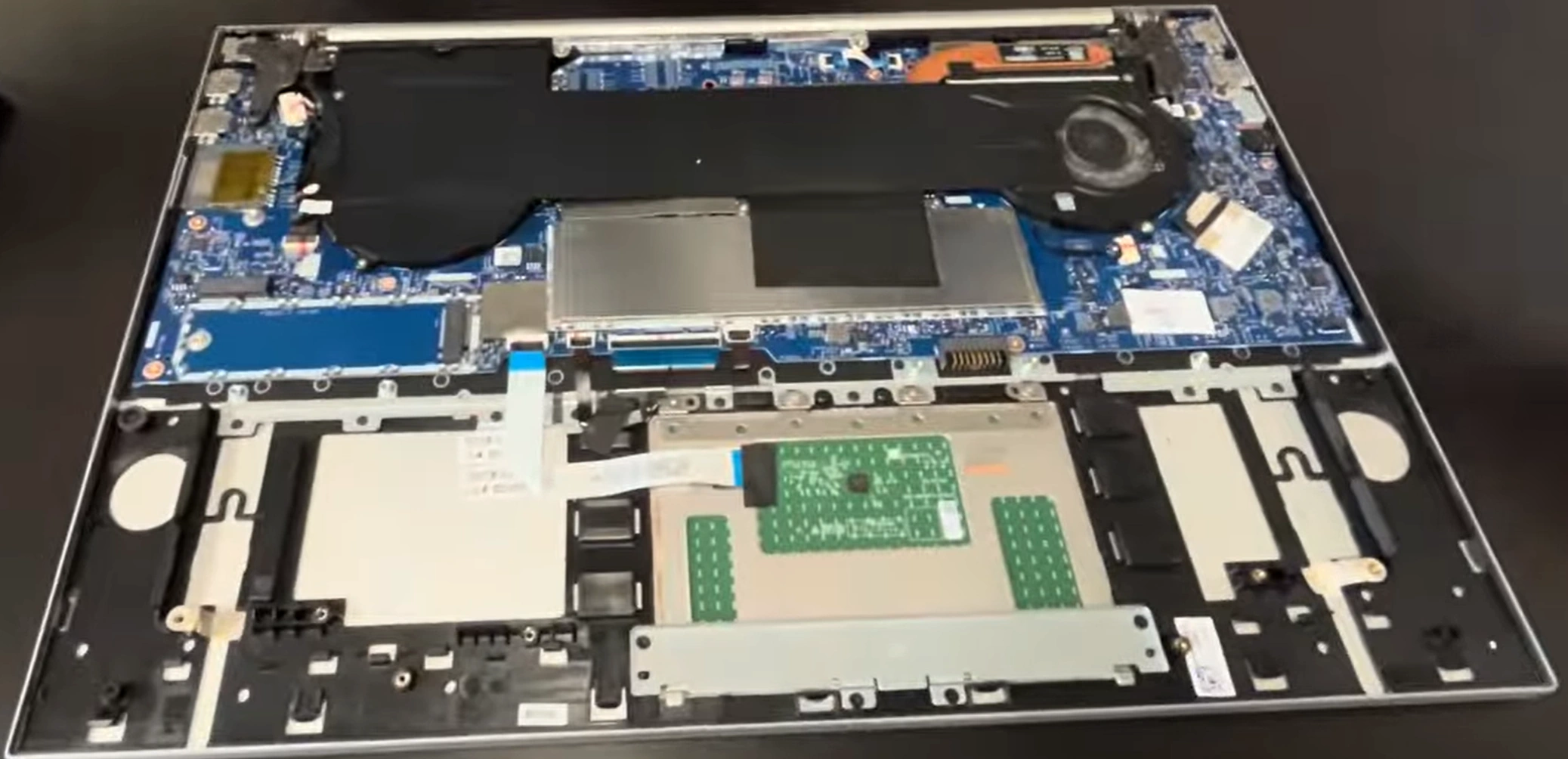
Looking to Sell Laptop, get cash for laptop or trade laptop for something newer? The HP Envy 17m-ch0013dx (17.3" big-screen multimedia laptop with Intel Core i7, touch display & Optane) is fairly easy to upgrade and repair yourself. Adding more RAM, swapping to a faster SSD, and replacing a worn battery can boost its resale price significantly!
This guide covers full teardown, key upgrades, battery replacement, and tips to prepare your Envy 17m-ch0013dx for the best possible offers.
Why Upgrade & Replace Battery Before Selling Your HP Envy 17m-ch0013dx?
- Upgrade RAM to 32GB or even 64GB DDR4 → much smoother multitasking on this large-screen machine
- Fast NVMe SSD upgrade (replace Optane+HDD combo) = lightning-quick boot & load times
- New battery (TI04XL / ~55Wh) restores long unplugged runtime – huge selling point for buyers
- Upgraded + fresh-battery laptops sell 30–70% higher and faster when you sell laptop or seek cash for laptop
Video Tutorial: Full Disassembly, Upgrades & Battery Replacement
Watch this step-by-step YouTube guide showing teardown, RAM/SSD upgrades, battery swap, and reassembly – ideal for the Envy 17m-ch series!
<
0:20 Bottom Case 3:18 Battery 4:15 Speakers 4:45 SSD Storage 5:17 WiFi Card 5:43 RAM Memory 6:08 Heatsink 7:00 Processor 7:05 Cooling Fan 10:04 Hinges 10:37 Palmrest Assembly 10:55 Motherboard 10:22 DC Power Jack 11:47 Touchpad 12:20 Keyboard 12:50 Display Assembly
Main Upgrade & Repair Options – HP Envy 17m-ch0013dx
- RAM: 2× SODIMM slots – upgrade to 32GB or max 64GB DDR4-3200MHz (dual-channel for best performance)
- Storage: 1× M.2 2280 NVMe PCIe slot – replace 512GB SSD + 32GB Optane with 1TB/2TB/4TB high-speed NVMe SSD
- Battery: Replaceable TI04XL (55.67Wh, 15.12V, part M24563-005 or equivalent) – perfect fix for degraded battery life
- Access: Remove bottom screws → lift base cover → battery, RAM & SSD are all accessible
- Bonus: Clean fans/heatsink during teardown to improve cooling & reduce noise (buyers love it!)
Quick Teardown, Upgrade & Battery Replacement Steps
- Power off, unplug, remove all bottom screws (Phillips screwdriver)
- Gently pry off the bottom cover (start from edges, careful with clips)
- Disconnect battery cable from motherboard (safety first!)
- Upgrade RAM: Insert new SODIMMs at 45° → press until clips lock
- Replace SSD: Unscrew M.2 drive → swap with new NVMe → secure
- Battery Replacement:
- Remove screws holding battery to chassis (typically 4–6)
- Carefully lift out old battery
- Insert new TI04XL battery, align properly
- Reconnect battery cable securely
- Secure with screws – avoid overtightening
- Optional: Clean dust from fans + reapply thermal paste if temps are high
- Reassemble, power on, test everything – ready to sell laptop!
Get Maximum Cash for Your Upgraded HP Envy 17m-ch0013dx
Highlight upgrades in your listing: "Upgraded 32GB RAM + 1TB SSD + New Battery – Perfect Condition!" This 17.3" powerhouse attracts buyers fast on marketplaces.
Use terms like "cash for laptop HP Envy 17 upgraded", "Sell Laptop with new battery" or "trade laptop" – expect much better offers!
Good luck with your DIY upgrades and happy selling! 💻🔋
Sell Popular HP Laptop Models Now: