Lenovo ThinkPad X1 Carbon Easy Battery Replacement: Upgrade & Sell Laptop with Upgrades for Instant Cash
Want to ** sell laptop with upgrades**, get **instant cash for laptop**, or **trade upgraded laptop** for something newer? The Lenovo ThinkPad X1 Carbon (iconic lightweight business ultrabook, various gens) has one of the easiest user-replaceable batteries in premium laptops. Swapping a worn battery restores long runtime, boosts resale value dramatically, and makes it irresistible to buyers!
This guide covers simple battery replacement steps, why it’s a smart upgrade, and tips to maximize offers when you sell or trade.
Why Replace Battery Before Selling Your ThinkPad X1 Carbon?
- New battery = 8–12+ hours runtime vs. degraded old one – huge buyer appeal
- DIY upgrade adds 20–50% value (especially on marketplaces)
- ThinkPad durability + fresh battery = fast **instant cash for laptop** or **trade upgraded laptop** deals
- Easy process (no soldering, basic tools) – perfect for **sell laptop with upgrades**
Video Tutorial: Battery Replacement Step-by-Step
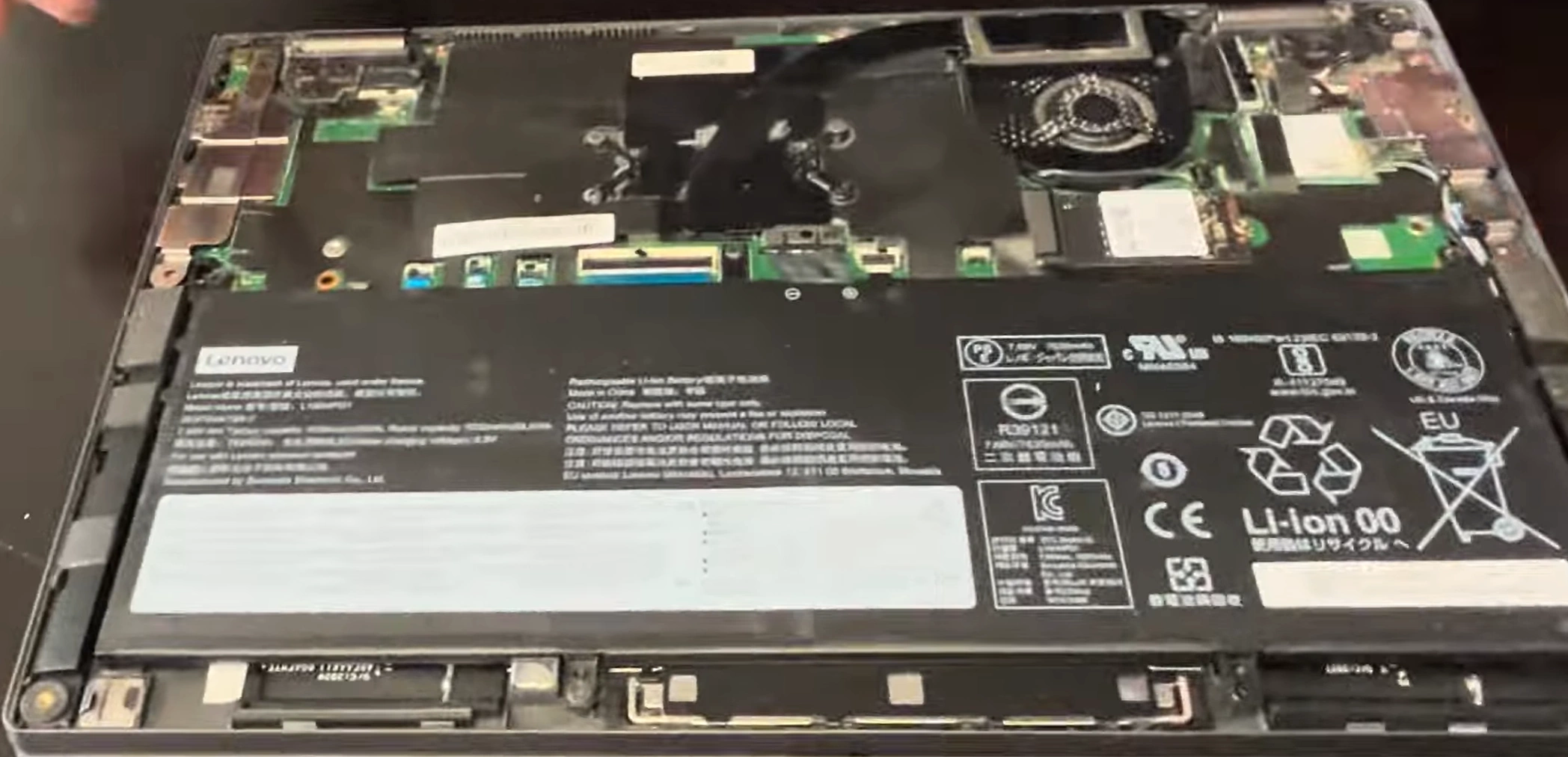
Watch this clear YouTube guide showing easy battery replacement on Lenovo ThinkPad X1 Carbon (works for most gens like Gen 3–13 with similar chassis)!
0:15 Remove bottom case screws 0:38 Separate bottom case from palmrest 0:45 Take bottom off 0:50 Disconnect battery 0:57 Unscrew old battery 1:28 Take old battery out 1:43 Mount new battery 3:33 Install bottom case back on 4:45 Test battery 5:03 Set time in Bios 5:17 Test charging
Key Steps for Battery Replacement – ThinkPad X1 Carbon
- Battery: Replaceable internal pack (e.g., 57Wh or 57++Wh variants depending on gen) – buy OEM or compatible from Lenovo/Amazon/iFixit
- Tools needed: Phillips screwdriver, plastic pry tool, anti-static wrist strap (optional)
- Access: Remove bottom cover screws → disconnect battery cable → unscrew old battery → install new one
- Bonus: Clean dust from fans/heatsink while open → improves cooling & longevity
Quick Battery Replacement Steps
- Power off, unplug charger, discharge battery below 25% if possible
- Remove bottom cover screws (usually 6–8 Phillips)
- Gently pry off bottom cover (start from edges, careful with clips)
- Disconnect battery cable from motherboard (pull tab or lift connector)
- Remove screws holding battery → lift out old battery
- Insert new battery, secure screws, reconnect cable firmly
- Reassemble, power on, calibrate battery (charge to 100%, discharge, repeat)
- Test runtime – ready to **sell laptop with upgrades**!
Instant Cash for Laptop – Upgraded ThinkPad X1 Carbon
List it highlighted: "Fresh Battery + Cleaned – Legendary Ultrabook Excellent Condition!" Attracts buyers fast on OLX, Facebook Marketplace, or buyback sites.
Use terms like "** instant cash for laptop ** ThinkPad X1 Carbon new battery", "**sell laptop with upgrades** X1 Carbon" or "**trade upgraded laptop**" – expect top offers!
Good luck with your easy DIY battery swap and profitable sale! 💻🔋
Sell Popular Lenovo Laptop Models Now: