Complete Guide: Dell Inspiron 16 5625 Upgrade & Repair
Planning to Sell Laptop, get cash for laptop or trade laptop for a newer model? The Dell Inspiron 16 5625 (16-inch productivity/multimedia laptop with AMD Ryzen processors) is very upgrade-friendly. A quick DIY RAM and SSD upgrade can significantly increase its resale price!
This guide shows the full teardown process, key upgrades and simple maintenance steps to prepare your Inspiron 16 5625 for the best possible offers.
Why Upgrade Your Dell Inspiron 16 5625 Before Selling?
- Up to 64GB RAM + fast NVMe SSD makes it feel much faster and more modern
- Upgraded configurations often sell for 25–60% more on marketplaces
- Buyers actively search for upgraded 16-inch laptops → faster sale + higher cash for laptop
- Easy DIY fixes = save money and boost profit when you trade laptop
Video Tutorial: Step-by-Step Teardown, RAM & SSD Upgrade
Watch this clear YouTube guide showing disassembly, upgrades and reassembly – great for beginners!
0:22 Bottom Case 1:30 Battery 2:12 WiFi Card 2:32 RAM Memory 2:53 Heatsink 3:21 Cooling Fan 3:46 Speakers 4:52 Motherboard7:37 DC Power Jack 7:50 Processor 8:16 Power Button 8:46 USB Board 9:10 Palmrest Assembly 9:17 Touchpad 10:01 Keyboard 10:25 Display Assembly 10:33 Hinges cover 11:17 Adhesive Pullout Strips 13:23 Video Cable 14:26 LCD Screen 14:56 Back Cover 15:05 Hinges 15:18 Video Cable 15:27 WebCam
Main Upgrade Possibilities – Dell Inspiron 16 5625
- RAM: 2× SODIMM slots – upgrade to 32GB or max 64GB DDR4-3200MHz (dual-channel for best performance)
- Storage: 1× M.2 2280 NVMe PCIe slot (Gen3/Gen4 compatible) – replace or add high-capacity 1TB/2TB/4TB SSD
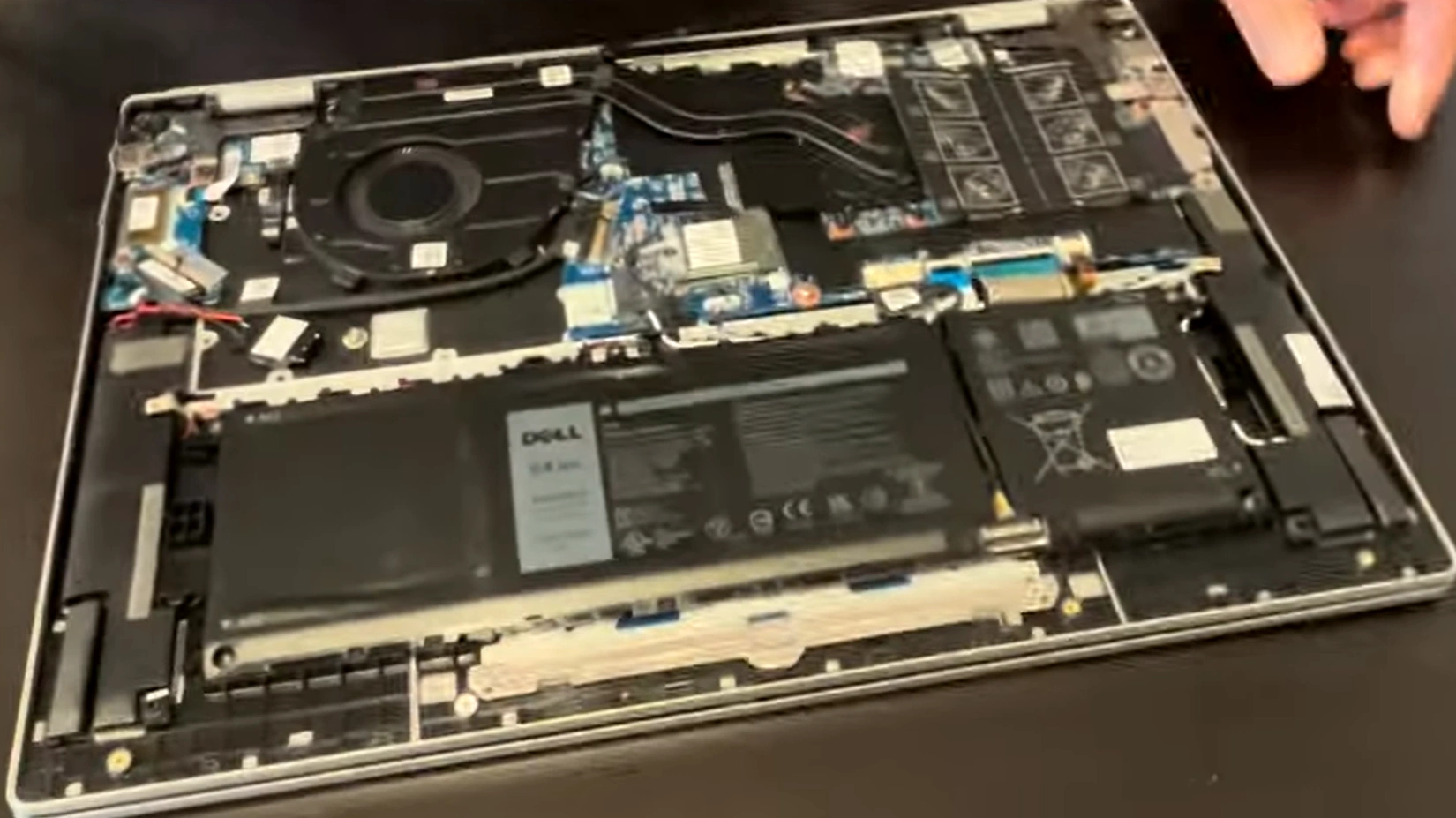
- Access is simple: Remove bottom screws → lift cover → battery, RAM and SSD all easily reachable
- Pro tip: Clean dust from cooling system during the process (great selling point for buyers!)
Quick Teardown & Upgrade Steps
- Power off, unplug charger and remove all bottom screws
- Carefully pry off the bottom cover (start from the edges)
- Disconnect battery connector for safety
- Upgrade RAM: Insert modules at 45° → press down until clips lock
- Replace SSD: Unscrew M.2 drive, insert new one, secure screw
- Optional: Clean fans + reapply thermal paste if temperatures are high
- Reassemble, power on and verify – ready to sell laptop!
Time to Get Maximum Cash for Your Upgraded Dell Inspiron 16 5625?
After these easy improvements your 16-inch laptop becomes far more appealing. List it with details like "Upgraded to 32GB RAM + 1TB SSD" and watch the better cash for laptop offers roll in!
Search or list using: "Sell Laptop Dell Inspiron 16 5625 upgraded", "cash for laptop" or "trade laptop" – the upgrades really make the difference!
Good luck with your upgrade and successful sale! 💻
Sell Popular Dell Laptop Models Now: